
Uber Eats Photo Guidelines & Requirements
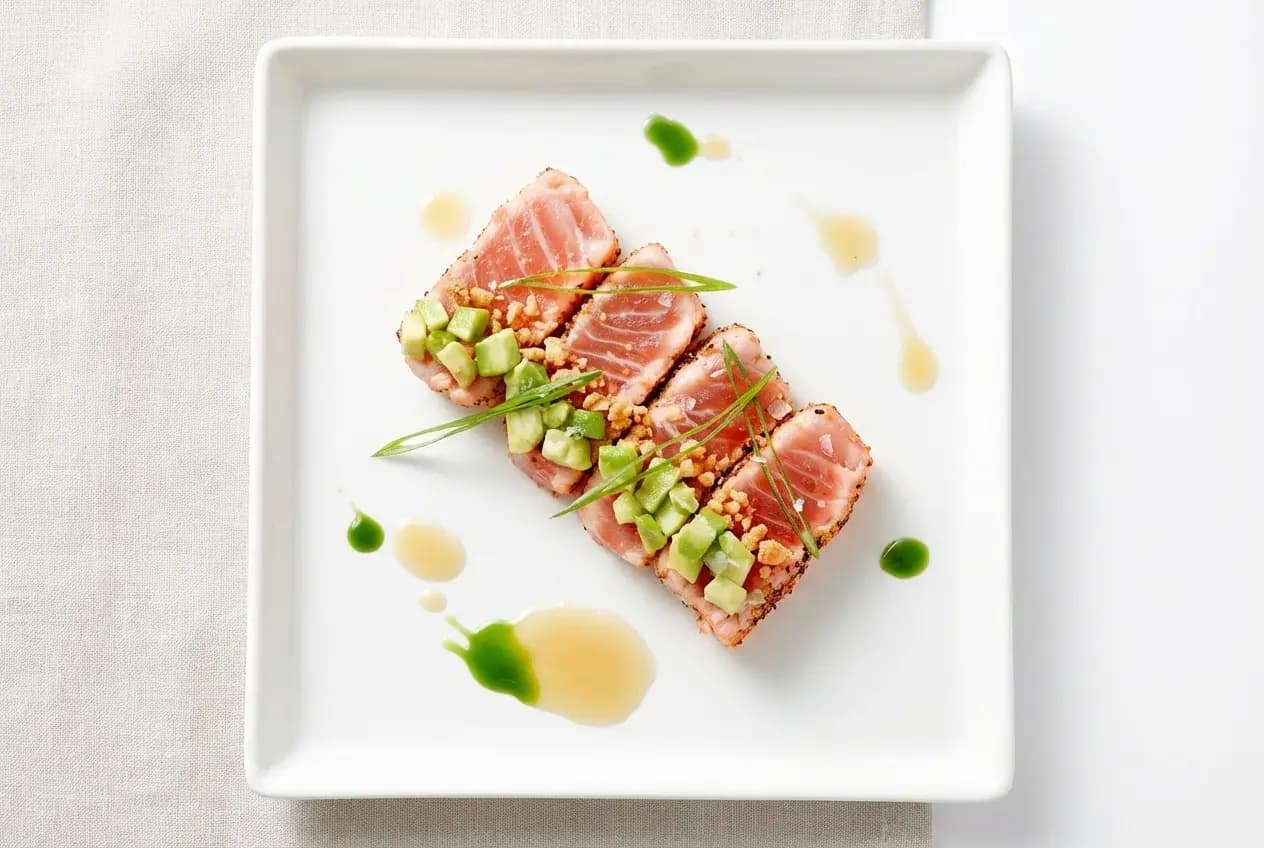
Uber Eats holds a significant U.S. share (roughly one-quarter of delivery orders). A strong Uber Eats photo can improve discoverability and help customers order confidently. Here’s how to plan an Uber Eats photoshoot, follow the platform’s standards, and prepare menu images for review.
Market context: the U.S. is massive (and the fight is intense)
The United States is the world’s second-largest online food delivery market (behind China), with an estimated $353B in revenues in 2024 and more than $95B generated in the meal delivery segment. By 2029, the market is forecast to exceed $500B as grocery + meal delivery continue to grow. Source: Statista’s U.S. online food delivery overview.
Globally, Uber Eats is described as the leading food delivery operator worldwide—but in the U.S. market, DoorDash leads: it controlled roughly two-thirds of online meal delivery as of March 2024. In downloads, DoorDash led U.S. 2024 app downloads (~19M) with Uber Eats next (~12M). Statista.
User “promiscuity” keeps pricing pressure high: long delivery time is a top frustration for roughly a third of U.S. consumers, and delivery charges are another major frustration (~26%). Macro pressure has also pushed a focus on profitability—both DoorDash and Uber Eats posted positive profit figures in 2024. Statista.
Uber Eats Photo Requirements (Highlights)
From the official Uber Merchant resource Restaurant-submitted photos and Uber Help photo guidelines:
- Recommended menu-item ratio: between 5:4 and 6:4.
- Dimensions: 550–10,000 pixels wide and 440–10,000 pixels high.
- File requirements: JPG, PNG, or GIF, with a maximum size of 10 MB.
- High resolution, well-lit, appetizing, minimal props.
- Show only the item sold—no extra beverages or unrelated sides.
- Avoid text overlays, watermarks, or borders; keep backgrounds clean.
- Accurate representation—no misleading portion sizes or filters.
How PlatePhoto helps
- One-click relight to remove yellow casts and noise from kitchen lighting.
- Background cleanup to eliminate clutter and keep the hero dish isolated.
- Consistent style presets for franchises—every location ships matching visuals.
Result: faster approvals and higher conversion on Uber Eats.
Market Share Context
Industry estimates (Statista, 2024) put Uber Eats at ~23% U.S. delivery share. Delivering guideline-perfect images keeps you competitive in the second-largest channel.
How to Plan an Uber Eats Photoshoot
An Uber Eats photoshoot should produce clear, consistent images that accurately match each menu listing. Start with your best-selling and highest-margin dishes, then create a shot list with the item name, included sides, portion size, preferred angle, and any crop requirements.
- Prepare the set: choose one clean surface and use the same soft lighting direction throughout the shoot.
- Photograph the real portion: include only the food, sides, and sauces customers receive with the listed item.
- Leave crop space: keep the dish centered with room around it so Uber Eats can display the photo across different screen sizes.
- Review as you shoot: check focus, color, reflections, crumbs, and packaging before moving to the next dish.
- Export consistently: deliver every Uber Eats photo at high resolution with matching brightness, color, and framing.
If you hire a photographer, confirm the number of finished images, editing, usage rights, turnaround time, and delivery-platform crops in the quote. For frequent menu changes, you can also photograph dishes with a phone and use PlatePhoto to create a consistent, menu-ready finish.
Uber Eats Shooting Best Practices
Simple habits keep your photos appetizing and on-brief:
- Lean on indirect window light so food stays fresh-looking; avoid harsh, direct rays that create hard shadows.
- Pick an angle that fits the dish: top-down for bowls and plates to showcase ingredients; 45° for burgers, sandwiches, and taller stacks.
- Reveal the inside of layered items—cut and stack halves of burgers, wraps, or burritos so fillings are visible.
- Add a small garnish or color pop when it’s authentic to the dish, but keep it true-to-menu.
- Shoot immediately after plating so the dish doesn’t wilt or lose steam appeal.
Common pitfalls to avoid
- Extreme close-ups that hide portion size or ingredients.
- Harsh fluorescent lighting—stick to soft, indirect light instead.
- Unclear angles where the guest can’t tell what the dish includes.
How to Upload in Uber Eats Manager
- Log into Uber Eats Manager and open Menu Maker.
- Go to the Items tab, select the item, and find the Photo section.
- Drag-and-drop or upload your photo (first-time users accept T&Cs once).
- Click Save in the upper right to submit for review; the item locks until approval.
- Track status in the Items tab—icons show in-review or rejected states.
- If approved, the photo un-grays and displays on the item; if rejected, the detail page and email outline the reasons.
Quick Prep Checklist
- Use side or 45° lighting; avoid harsh overheads.
- Center the dish; leave breathing room for auto-crops.
- Match photo to menu item exactly—no swaps or off-menu garnishes.
- Export clean JPEG/WEBP at high resolution; avoid compression artifacts.
Upload once, get Uber-ready outputs
Drop in your plate photo—PlatePhoto returns a compliant, appetizing shot you can upload immediately.
Move faster than competitors still scheduling shoots.
Generate Uber Eats–ready photos
PlatePhoto cleans, relights, and centers dishes for Uber Eats guidelines—publish today.
Read Next
Continue exploring our latest guides and tips
Foodpanda Photo Guidelines for Faster Approval
Follow foodpanda's photo guidelines and best practices to format crop safe menu photos, speed up publishing, and boost your conversion rates.
Read articleGrubhub Photo Guidelines for Restaurant Menus
Meet Grubhub's photo requirements with conversion friendly visuals that keep your menu quality consistent and appealing across every listing.
Read articleZomato Photo Guidelines for Restaurant Menus
Follow Zomato's photo guidelines and listing rules with a step by step checklist that helps you upload crop safe menu photos and get more orders.
Read article