
Professional Food Photography for Restaurants
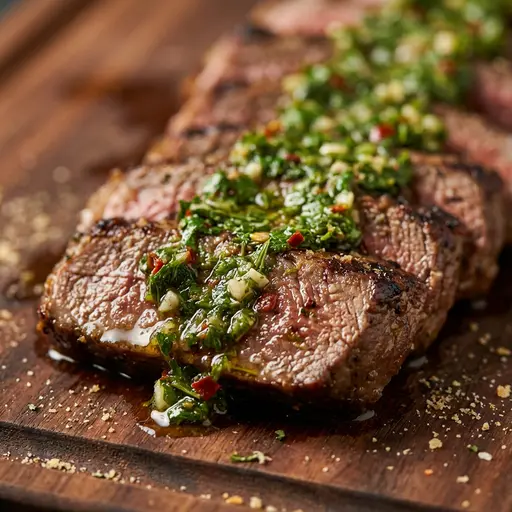
If you’ve ever priced a “professional food photography” shoot and felt sticker shock, you’re not alone. Commercial food photography can be expensive because it’s not just someone taking a few pictures—it’s a production with lighting, styling, and retouching. This guide breaks down what goes into a professional shoot (and why it costs what it costs), then outlines practical alternatives: DIY photography and AI tools like PlatePhoto that can transform ordinary images into menu-ready photos quickly.
Why professional food photography costs so much
Professional shoots often include:
- Pre-production planning: shot lists, styling direction, props, and brand references.
- Lighting + grip equipment: lights, modifiers, stands, flags/reflectors, and tethered capture.
- Food styling: keeping dishes looking “fresh” under hot lights (and re-plating repeatedly).
- Time on set: dialing in angles, controlling reflections, and matching a consistent look across dishes.
- Retouching: color correction, cleanup, selective sharpening, and consistency work across the entire menu.
The ROI case for great photos (in one minute)
“Food photography is a crucial part of your menu.”
— Restobiz
And a useful benchmark for why photos move revenue:
“82 per cent of people say they would order a dish based on its photo, so appealing photos can mean more profits.”
— Kitchen Hub
When it makes sense to hire a professional food photographer
Hiring a pro is often worth it when:
- You’re doing a brand campaign (ads, PR, press kit, or launch assets).
- You’re rebuilding the menu visuals end-to-end and want a tightly art-directed look.
- You need lifestyle/people shots (interiors, chef portraits, action shots) beyond menu item photos.
- You want a cohesive visual system (style guide, backgrounds, angles) that your team can maintain later.
When DIY food photography is good enough (and how to do it)
DIY makes sense for:
- seasonal specials and frequent updates,
- limited-time offers,
- fast iteration (testing which photos convert best),
- smaller budgets.
Here’s a simple restaurant-friendly setup:
- Light: shoot near a window; turn off mixed overhead lighting that causes yellow/green casts.
- Surface: use one consistent background (wood, stone, or a neutral matte surface).
- Angle system: choose 1–2 defaults (top-down for bowls/pizzas; 45° for burgers/sandwiches).
- Tripod (optional): improves consistency across the menu.
- Consistency checklist: same crop, brightness, and framing for every item.
If you want a practical, restaurant-focused walkthrough of how to improve photos without buying a studio, these guides are solid:
- How better food photos can boost sales (Square)
- Ecommerce food photography tips you can apply to online ordering (Square)
- Food photography tips for restaurants (Lightspeed)
- 12 food photography tips for restaurants (The Restaurant HQ)
- Food photography for restaurants (ChowNow)
- Restaurant marketing: food photography (Lunchbox)
The modern alternative: AI-enhanced food photography
If your constraint is time, budget, or consistency, AI tools can cover much of what makes commercial food photography expensive:
- Relighting to remove harsh shadows and color casts
- Background cleanup to eliminate clutter
- Consistency across a menu (same “look” even across locations)
- Crop-safe framing so items don’t get cut off in delivery thumbnails
With PlatePhoto, the workflow is simple: snap a decent phone photo, upload, pick a style, and export a menu-ready result in minutes.
Decision framework: hire a pro vs DIY vs AI
Use this quick rule of thumb:
- Hire a pro when the images represent your brand at the highest stakes (campaigns, PR, flagship launches).
- DIY + AI when you need speed, frequency, and consistency (menu updates, seasonal items, delivery apps).
- Hybrid when you want the best of both: use a pro to define the style, then maintain it with AI going forward.
Why investing in high-quality visuals pays off
Whether you hire a photographer, do it yourself, or use AI, the business outcome is the same: polished visuals reduce uncertainty, increase clicks, and make your menu feel premium. Restaurants with consistent, appetizing photos tend to stand out—and that typically translates into more orders.
Want pro results without the production?
Upload a dish photo and let PlatePhoto handle the relighting, cleanup, and consistency.
Move faster, keep your menu fresh, and stay visually competitive.
Get professional-looking food photos today
Upload any dish photo—PlatePhoto relights, cleans up backgrounds, and produces commercial-quality results in minutes.
Read Next
Continue exploring our latest guides and tips
Food Photography Ultimate Guide for Restaurants
Food photography is an art that combines creativity and technical skill. It captures the essence of a dish, making it look as delicious as it tastes.
Read articleFood Photography Lighting: A Practical Setup Guide
Learn simple food photography lighting setups for restaurants, from soft window light to a repeatable one-light setup for menus and delivery apps.
Read articleFood Photography Backgrounds: 12 Practical Backdrop Ideas
Choose food photography backgrounds that make dishes stand out. Compare affordable backdrop materials, colors, textures, and restaurant-ready setups.
Read article