
AI Food Photography Benefits for Restaurants
The restaurant industry is undergoing a quiet revolution. For years, “professional food photography” meant scheduling a costly shoot, carving out time during service, and waiting days (or weeks) for edits. Meanwhile, your online menu keeps selling—whether the photos are great, mediocre, or actively turning guests away.
Artificial Intelligence (AI) is changing the game by making high-quality, conversion-friendly food imagery accessible to restaurants of all sizes. Instead of relying on a perfect studio setup, AI tools can clean up backgrounds, correct lighting, and generate consistent, appetizing results from a simple upload. Below is how AI food photography is transforming the industry—and why more operators are adopting a hybrid workflow that combines smart shooting habits with AI enhancements.
1. Drastic cost reduction (without sacrificing quality)
The real cost of “doing it the traditional way”
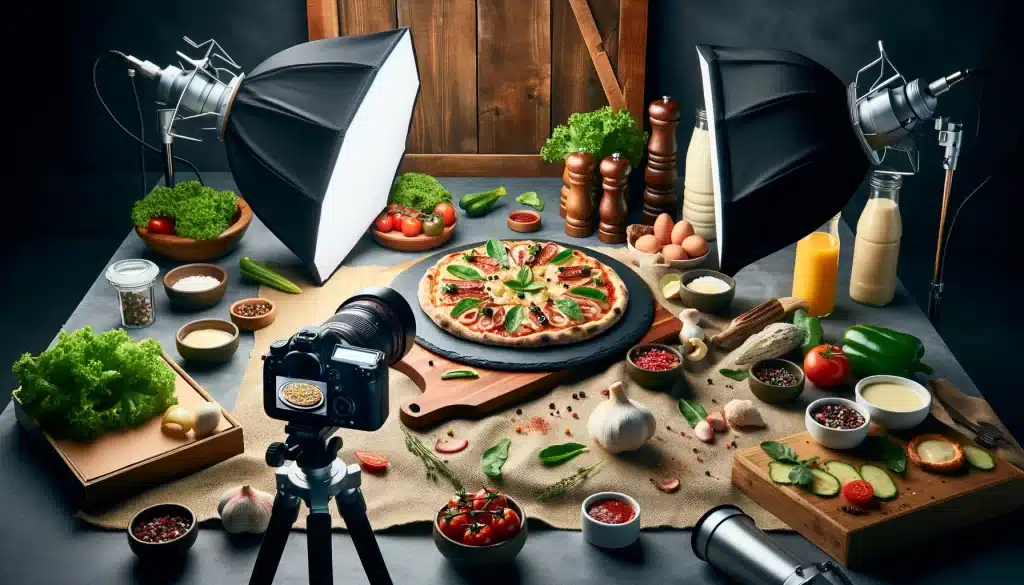
Traditional food photography adds up fast. Photographer day rates, equipment, retouching, and styling time can turn “just a few menu items” into a multi-thousand-dollar project. For independent restaurants operating on thin margins, that often results in an uncomfortable choice: pay a lot for professional photos, or post quick smartphone shots and hope customers understand what they’re buying.
AI replaces the expensive parts of the workflow
AI tools can handle many of the time-consuming steps that drive costs—background cleanup, lighting correction, color balancing, and consistent “look and feel.” With platforms like PlatePhoto, restaurants can generate studio-grade visuals at a fraction of the cost, and reinvest the savings into better packaging, promos, or new menu development.
Practical takeaway
If you’re deciding between “no photos” and “expensive photos,” AI gives you a third option: consistent, professional-looking images that fit the budget—especially when you’re updating seasonal items or weekly specials.
2. The hidden pain: finding a great food photographer is hard
Availability, scheduling, and service constraints
Even if you have the budget, the next hurdle is simply finding someone available. Great food photographers are often booked out weeks in advance, and shoots rarely align with the realities of a working kitchen. You may need to prep dishes outside normal service, reserve space for lighting gear, and coordinate staff time—all to get a handful of shots.
Style mismatch and revisions
Food photography is subjective. You might want a clean “delivery app” look for DoorDash and Uber Eats, while the photographer’s portfolio leans moody editorial. When the style doesn’t match your menu (or your customers’ expectations), you end up paying for reshoots, re-edits, or settling for visuals you don’t love.
Where restaurants look for photographers
If you do want to hire help, marketplaces can be a starting point—just plan for vetting and lead time. One common place to browse is
Upwork’s food photography freelancers page
. Bring a clear brief (angles, backgrounds, aspect ratios, and example shots) so you can compare candidates consistently.
A quick vetting checklist (so you don’t waste weeks)
If you’re hiring, asking a few practical questions upfront can save a lot of back-and-forth later—especially when you need images that work on delivery apps, not just in a portfolio.
- Deliverables: How many final images per dish, and in what formats (JPG/PNG/WEBP)?
- Platform fit: Can they provide crops for 1:1 and 16:9 without cutting off the hero item?
- Turnaround: When will you receive finals, and what’s the revision policy?
- Rights: Do you have usage rights for menus, ads, and delivery platforms?
- Consistency: Can they match a style guide across your entire menu (and across locations)?
The key point isn’t that photographers are “bad”—it’s that hiring and coordinating a shoot is a project. AI reduces your dependence on perfect timing and perfect availability, so you can improve your menu visuals on your schedule.
3. Speed and flexibility: from idea to live menu in minutes
The modern menu changes constantly
Limited-time specials, seasonal items, and price testing are normal now. But traditional photography is slow: schedule the shoot, wait for edits, then upload. By the time photos arrive, you may have already swapped the item—or missed the moment when customers were searching for it.
AI turns photo creation into an “ops” task
With AI, you can generate a polished image the same day you add the item. Upload a dish, choose a style preset, and export versions that fit your channels. This speed enables experimentation: test a new dessert, update the photo if it underperforms, and keep iterating without a new shoot every time.
4. Consistency across platforms builds trust
Consistency is conversion
Customers make snap decisions. When your menu looks cohesive—similar lighting, backgrounds, framing, and color—your brand feels more professional. When the menu looks like a collage of mismatched shots, it signals chaos, inconsistency, and risk.
AI standardizes the “look” even across locations
This is especially valuable for multi-location restaurants and franchises. Different phones, different kitchens, and different staff members normally create a patchwork of styles. AI lets you apply the same visual treatment across the entire menu, so each location publishes images that feel like one brand.
Tip: fix the biggest mistakes first
If your current photos are underperforming, start by avoiding the most common pitfalls (bad lighting, clutter, over-editing, inconsistent styling). This companion guide breaks it down: 5 Food Photography Mistakes That Are Costing You Orders.
5. Higher conversion rates: better photos sell more food
“We eat with our eyes” isn’t a cliché—it’s a funnel
Online ordering is a visual shopping experience. Customers can’t smell the dish or ask questions in real time, so the photo becomes the product. Strong images reduce uncertainty, help customers decide faster, and make premium items feel worth the price.
AI can optimize for appetite cues
AI-enhanced food imagery tends to emphasize what matters: clean lighting, accurate color, crisp detail, and a clear “hero” subject. When every dish looks appetizing, fewer items get ignored, and more customers add a second or third item to the cart. Many operators also report fewer “this looks different” complaints when images are clearer and more consistent.
6. A simple, repeatable workflow for restaurants
Shoot once, reuse everywhere
You don’t need a studio to start. A repeatable approach often looks like this:
- Plate consistently and wipe the rim—small details read as “quality” online.
- Use soft window light when possible; turn off mixed overhead lighting.
- Pick 1–2 standard angles (top-down for bowls/pizzas, 45° for burgers/sandwiches).
- Leave space around the dish so platform crops don’t cut off the edges.
- Upload to an AI tool to relight, clean the background, and standardize the style.
When a human photographer still makes sense
AI is powerful, but it doesn’t replace everything. If you’re launching a flagship brand campaign, building a press kit, or producing lifestyle content with people and environments, a professional photographer can be the right call. For day-to-day menu updates, seasonal specials, and delivery platforms, AI is often the faster and more economical path.
Conclusion: AI helps you move faster and sell more
AI isn’t here to replace the art of cooking—it’s here to help you present it at its best, every day. By embracing AI food photography, restaurants can lower costs, reduce dependence on hard-to-schedule shoots, publish faster, and build a consistent visual identity that improves customer confidence.
Ready to see the difference? Try PlatePhoto today and turn your menu into a stronger sales channel.
Start creating professional food photos today
No equipment needed. Just upload and generate stunning visuals for your menu.
Read Next
Continue exploring our latest guides and tips
Food Photography Lighting: A Practical Setup Guide
Learn simple food photography lighting setups for restaurants, from soft window light to a repeatable one-light setup for menus and delivery apps.
Read articleFood Photography Backgrounds: 12 Practical Backdrop Ideas
Choose food photography backgrounds that make dishes stand out. Compare affordable backdrop materials, colors, textures, and restaurant-ready setups.
Read articleBread Photography: 10 Tips for Bakery and Cafe Photos
Photograph bread with crisp crust, visible crumb, and natural color. Follow this bakery-friendly guide for loaves, slices, pastries, and menu images.
Read article