GuidesDecember 20, 202510 min read

Top 10 Food Photography Tools & Apps (2025 Edition)

By PlatePhoto Team
Top 10 Food Photography Tools & Apps (2025 Edition)

If you’re trying to improve your restaurant photos (or your food brand content) you don’t need a full studio to get results. The fastest wins usually come from three places: better capture, better editing, and cleaner presentation. This 2025 roundup covers 10 tools that help with those steps—plus one “must-have” piece of budget gear that makes everything easier.

How to use this list

If you’re short on time, a simple stack is:

  • Capture: a pro camera app (or your phone’s native camera)
  • Edit: a fast, repeatable editor (Lightroom / Snapseed)
  • Cleanup: background removal (Photoroom / remove.bg)
  • Publish: templates for menus + ads (Canva)
  • Scale: AI enhancement for consistency (PlatePhoto)

1) PlatePhoto (AI food photo enhancement for menus)

If your main problem is inconsistent lighting, messy backgrounds, or a menu that looks like a collage of mismatched photos, AI is the most time-efficient fix. PlatePhoto is designed for restaurant workflows: take a decent phone photo, upload, and export a clean, conversion-friendly image you can use on delivery apps, menus, and ads.

Best for: fast menu updates, consistent look across a whole menu, delivery app thumbnails, multi-location brands.
Why it’s different: it’s built to be simple (upload → style → export) rather than a complicated editing suite.

2) Portable light (ring light or small softbox)

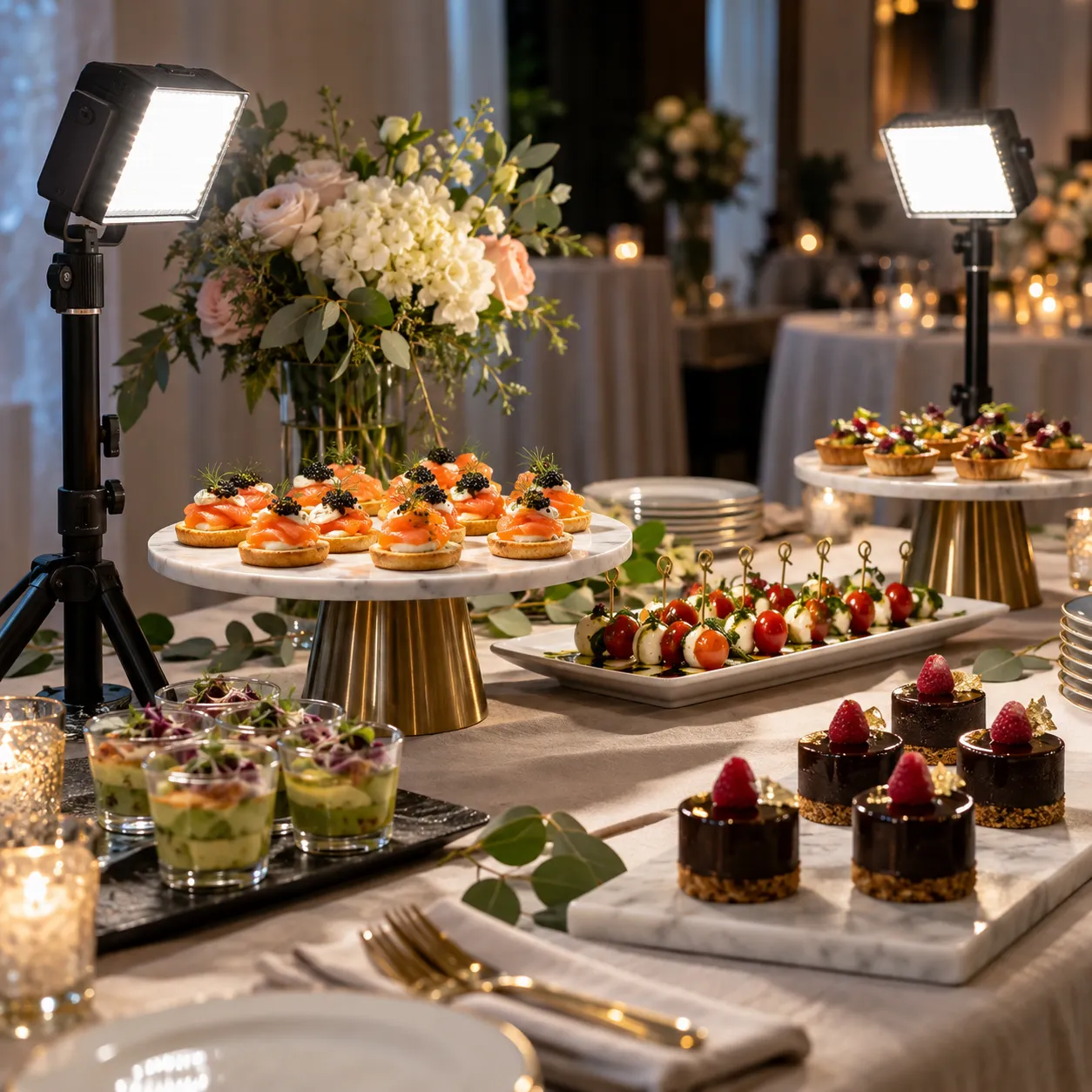
This isn’t an app, but it’s the cheapest “upgrade” you can make. A small diffused light (or a ring light) makes food look cleaner and reduces grain/noise in low-light kitchens. Pair it with one consistent shooting spot and you’ll instantly improve every photo.

Best for: shooting at night, dark dining rooms, consistent results across staff.

3) Adobe Lightroom (mobile + web)

Lightroom is the best “repeatable editing” option because you can save presets and apply them across the whole menu. Use it for exposure, white balance, and consistency—don’t over-filter.

4) Snapseed (free, fast fixes)

Snapseed is great for quick improvements when you don’t want a subscription: straighten, tune image, selective edits, and basic cleanup.

5) VSCO (filters + consistent “vibe”)

VSCO is useful if your brand wants a consistent aesthetic for social—just keep the filters subtle so dishes still look true-to-menu.

6) Foodie (SNOW) (food-friendly camera filters)

Foodie is built for “food looks good fast”—helpful for quick capture when you’re not editing later. Still: avoid heavy filters that change the dish color.

7) Canva (menus, promos, and ad templates)

Canva is the easiest way to ship menu boards, limited-time offers, and simple ads without a designer. The key is consistency: choose a template family and reuse it.

8) Photoroom (background cleanup for “product-style” shots)

If you want clean, catalog-like images (especially for delivery apps), background cleanup matters. Photoroom is fast for removing distractions and creating consistent backgrounds.

9) remove.bg (instant background removal)

remove.bg is a simple utility for quick cutouts—great when you need to drop a dish into a menu graphic or social template.

10) Halide (pro camera controls for iPhone)

If you’re shooting on iPhone and want more control (focus, exposure, manual feel), Halide is a popular “pro camera” option. This can help when your kitchen lighting is tricky.

Bonus: InShot (quick social edits)

If you post Reels/TikTok and need quick photo/video edits with text, crops, and exports, InShot is a practical all-in-one.

What about other AI tools?

You’ll see tools like FoodShot.ai mentioned online. PlatePhoto is easier to use but FoodShot AI can provide more custom controls.

Want the fastest “menu makeover”?

Start with one hero item, run it through PlatePhoto, and standardize the look across your top 10 sellers first.

That’s usually where the conversion lift comes from.

Share this article

Make your menu photos look professional

Upload a dish photo—PlatePhoto relights, cleans backgrounds, and outputs consistent, crop-safe visuals for menus and ads.

Read Next

Delivery PlatformsDecember 27, 2025

Foodpanda Photos: Menu Image Best Practices for Faster Publishing and Better Conversion

foodpanda shoppers decide fast—clean, consistent photos increase clicks and reduce uncertainty. Use this checklist to create crop-safe menu images that look great on mobile.

Read more
Delivery PlatformsDecember 26, 2025

Zomato Photos: Listing Rules, Best Practices, and a Fast Approval Checklist

Zomato is visual-first: great photos increase clicks and confidence, while low-quality or policy-breaking images get removed. Use this checklist to publish clean, crop-safe Zomato photos fast.

Read more
Delivery PlatformsDecember 25, 2025

Deliveroo Photos: Requirements, Cropping Rules, and a Fast Approval Checklist

Deliveroo reviews menu photos for clarity and consistency. Learn the key rules (hero vs item photos), avoid common rejection reasons, and ship clean uploads fast.

Read more
Delivery PlatformsDecember 24, 2025

Just Eat Takeaway Photos: Menu Image Best Practices for the Merged Platform Group

Just Eat and Takeaway.com merged into one company (Just Eat Takeaway.com). Photo rules vary by country and brand, but the approval patterns are consistent—use this checklist to ship clean, crop-safe menu photos fast.

Read more
Delivery PlatformsDecember 23, 2025

Delivery Hero Photos: Practical Menu Image Requirements Across foodpanda, talabat & More

Delivery Hero runs multiple delivery brands worldwide—photo rules vary, but the quality bar is consistent. Use this checklist to ship clean, conversion-ready menu photos fast.

Read more
GuidesDecember 22, 2025

The Restaurant Owner’s Guide to Professional Food Photography (and Modern AI Alternatives)

Learn what really happens in a professional food photoshoot (gear, styling, and retouching), why traditional shoots cost so much, and when to hire a food photographer vs use DIY + AI tools like PlatePhoto.

Read more
Photography TipsDecember 21, 2025

Food Photography Angles for Restaurant Menus: Top-Down vs 45° vs Straight-On

Different dishes need different camera angles. Learn when to shoot overhead, 45°, or straight-on for menu photos (and how to keep framing consistent across your whole menu).

Read more
Delivery PlatformsDecember 7, 2025

DoorDash Photos: Requirements, Market Share, and How PlatePhoto Speeds You Up

DoorDash drives the largest U.S. delivery audience—meet their photo rules, lift conversion, and use PlatePhoto to ship compliant DoorDash photos in minutes.

Read more
Delivery PlatformsDecember 7, 2025

Grubhub Photos: Requirements, Market Share, and Conversion Wins with PlatePhoto

Grubhub still reaches millions of diners. Meet their photo expectations, add conversion-friendly visuals, and let PlatePhoto keep quality consistent.

Read more
Delivery PlatformsDecember 7, 2025

Uber Eats Photos: Guidelines, Market Share, and Fast Compliance with PlatePhoto

Uber Eats still commands a major share of U.S. delivery. Follow their Uber Eats photo rules and use PlatePhoto to hit quality bars without manual edits.

Read more
GuidesDecember 6, 2025

Mastering Food Photography: Tips for Photographers

Food photography is an art that combines creativity and technical skill. It captures the essence of a dish, making it look as delicious as it tastes.

Read more
Industry TrendsNovember 15, 2025

How AI Food Photography Is Changing the Restaurant Industry

Discover how artificial intelligence is helping restaurants save thousands on photoshoots while increasing conversion rates on delivery apps.

Read more
Photography TipsAugust 6, 2025

5 Food Photography Mistakes That Are Costing You Orders (And How to Fix Them)

Are your menu photos doing more harm than good? Discover the 5 most common photography mistakes restaurants make and how to fix them to boost your conversion rates instantly.

Read more