
Deliveroo Photo Requirements & Best Practices
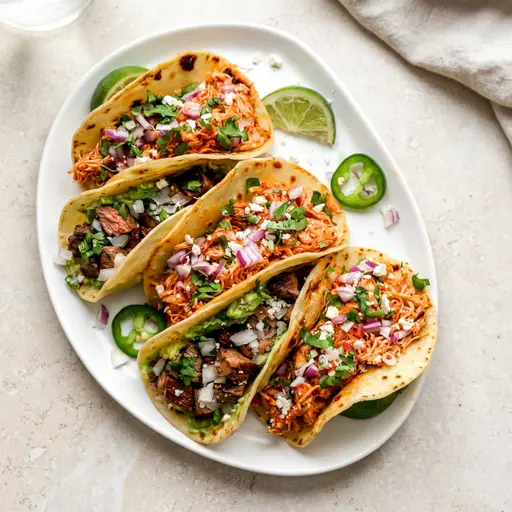
Deliveroo is a photo-driven marketplace: customers scroll fast, compare quickly, and tap the dishes that look best. But Deliveroo also reviews uploads for clarity and compliance. This guide summarizes Deliveroo’s photo requirements (hero images vs item photos), the cropping behavior that surprises most restaurants, and a practical checklist to get approved faster.
The official rulebook (start here)
Deliveroo publishes image submission guidance in its Help Centre. If you only read one page, make it this one: Menu Manager: sending in your own images as a restaurant (official Deliveroo).
For company background and high-level context (useful if you operate across multiple regions), see Deliveroo on Wikipedia.
Deliveroo photo requirements (practical summary)
Deliveroo’s guidance centers on two themes: the dish must be clearly recognizable and the image must crop well across surfaces.
- Keep it food-only: no text, watermarks, stickers, or borders.
- One item per photo: avoid collages and “menu boards.”
- Clean background: reduce clutter so the dish is the obvious focal point.
- High quality: sharp focus, good lighting, no heavy filters or odd color casts.
- Accurate representation: match what the customer receives—avoid misleading props or off-menu extras.
What Should Be Included in a Proper Delivery Photo?
A proper delivery photo should show customers exactly what they will receive. Include the complete menu item, its standard portion, included sides, toppings, sauces, and any packaging that is genuinely part of the order. Keep the food centered, clearly lit, and fully visible against a clean background.
Do not include optional extras, extra portions, decorative ingredients, or props that could make the order look larger than it is. If a drink, side, or dip costs extra, leave it out of the main item photo or label the bundle accurately in your menu. The goal is an appealing but truthful image that answers the customer’s most important question: “Is this what will arrive?”
- The full dish: avoid tight crops that hide part of the food.
- The correct portion: show the same quantity customers receive.
- Included components: display only sides, toppings, and sauces included in the listed price.
- Visible texture and color: use soft, accurate lighting rather than heavy filters.
- Breathing room: leave enough space around the item for Deliveroo’s thumbnail crops.
Hero images vs item photos (and why cropping matters)
Deliveroo typically presents imagery in at least two contexts. Designing for both prevents “approved but looks bad on the menu” outcomes.
Hero / header images
- Job: communicate cuisine, quality, and variety at a glance.
- Composition: multiple best-sellers is fine—just keep it tidy and intentional.
- Crop-safe framing: keep the important area centered so it survives different device crops.
Menu item images (thumbnails)
- Job: reduce uncertainty—what exactly am I ordering?
- Composition: one dish, centered, fully visible.
- Square crops: many menus display a square thumbnail even if you upload a rectangle—leave breathing room around the dish so nothing important is cut off.
Why Deliveroo rejects photos (common patterns)
- Not clearly recognizable: extreme close-ups, messy plates, or angles that hide key ingredients.
- Busy or branded backgrounds: distracting prep clutter, packaging stacks, or strong logos/graphics.
- Over-editing: heavy filters that make the dish look unnatural.
- Mismatch: photo doesn’t match the listed item (portion size, sides, toppings).
- Crop failure: the dish is cut off after thumbnail cropping.
Best practices for fast approvals (and better conversion)
- Light it softly: window light or a diffused key light beats harsh overhead lighting.
- Choose the right angle: top-down for bowls/plates; 45° for burgers, stacks, and layered dishes.
- Standardize your set: one surface, one lighting direction, and a consistent editing style builds trust.
- Start with top sellers: the first 10 items usually drive the majority of clicks.
How PlatePhoto helps
- Relights and corrects color casts from mixed kitchen lighting.
- Cleans up backgrounds so the dish stays the focal point.
- Outputs crop-safe images so thumbnails keep the full item visible.
Result: faster compliance and a more consistent menu across Deliveroo surfaces.
Deliveroo upload checklist
- Center the dish and leave margin for square crops.
- Remove overlays (no text, watermarks, borders, or collages).
- Match the item exactly (contents + portion size).
- Check sharpness at 100% zoom before uploading.
- Keep consistency across the menu: similar angles, brightness, and background vibe.
Publish Deliveroo-ready photos today
Upload once—PlatePhoto returns a clean, crop-safe photo you can submit immediately.
Spend minutes improving your menu, not weeks coordinating shoots.
Generate Deliveroo-ready photos
Upload any dish—PlatePhoto relights, cleans backgrounds, and produces crop-safe menu images you can upload immediately.
Read Next
Continue exploring our latest guides and tips
Just Eat Takeaway Photo Requirements Guide
Master Just Eat and Takeaway.com photo requirements. Follow our checklist to ensure crop-safe images, pass approval checks, and boost restaurant sales.
Read articleZomato Photo Guidelines for Restaurant Menus
Follow Zomato's photo guidelines and listing rules with a step by step checklist that helps you upload crop safe menu photos and get more orders.
Read articleDelivery Hero Menu Photo Requirements
Check Delivery Hero photo requirements across foodpanda and talabat. Use our checklist to publish clean, compliant, and conversion-ready menu photos fast.
Read article