
5 Food Photography Mistakes Costing You Orders
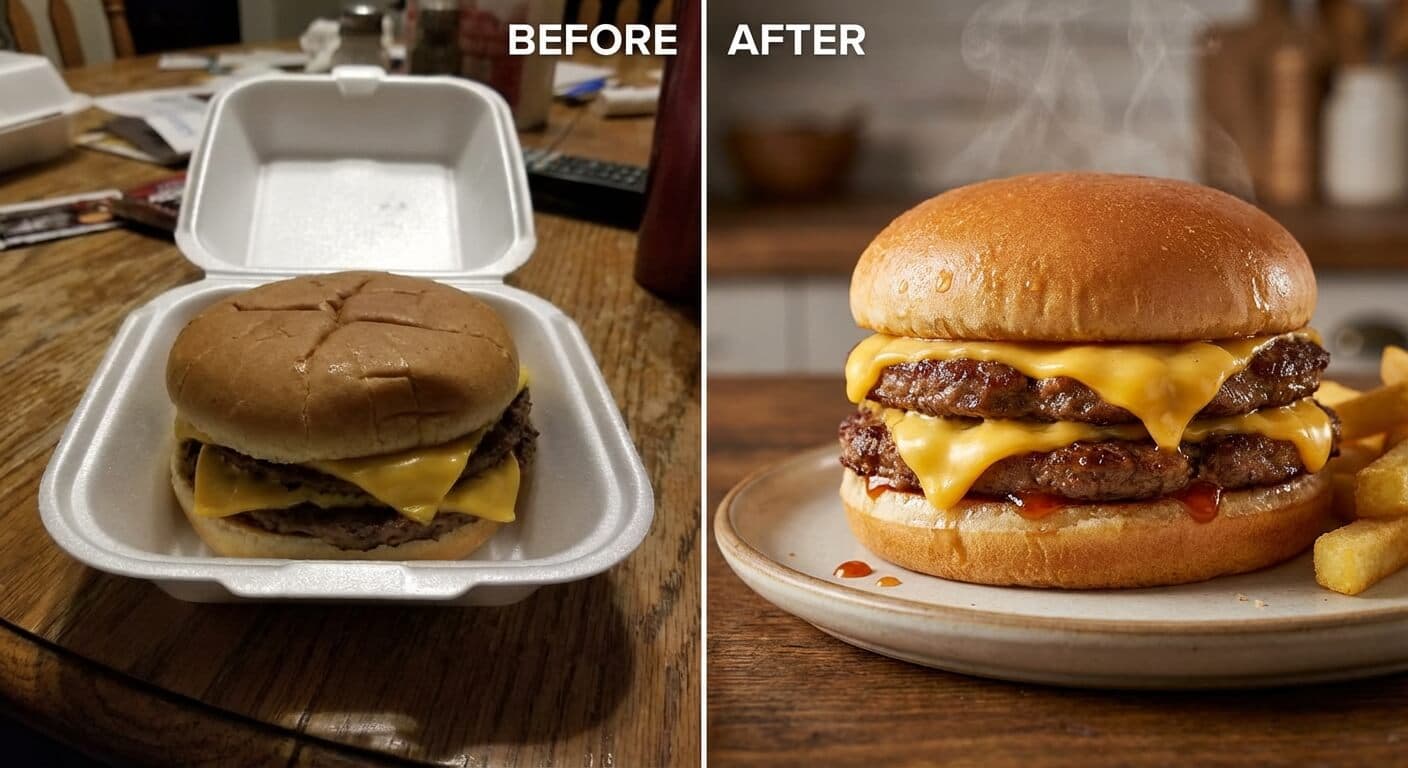
We recently audited over 100 independent restaurants on UberEats and DoorDash, and the results were shocking. Despite having 4.8-star ratings for food quality, many had menu photos that made their delicious dishes look unappealing, resulting in lost sales.
In the digital age, your photos are your storefront. Customers can't smell the aroma or taste the seasoning; they make split-second decisions based entirely on what they see. If your photos are lackluster, you're losing revenue to the competitor next door who invested in better visuals.
The good news? You don't need a $5,000 camera or a professional studio to fix this. Here are the 5 most common "crimes" against food photography we see, and simple, actionable ways to solve them today.
Mistake #1: Poor Lighting (The "Dungeon Dinner" Effect)
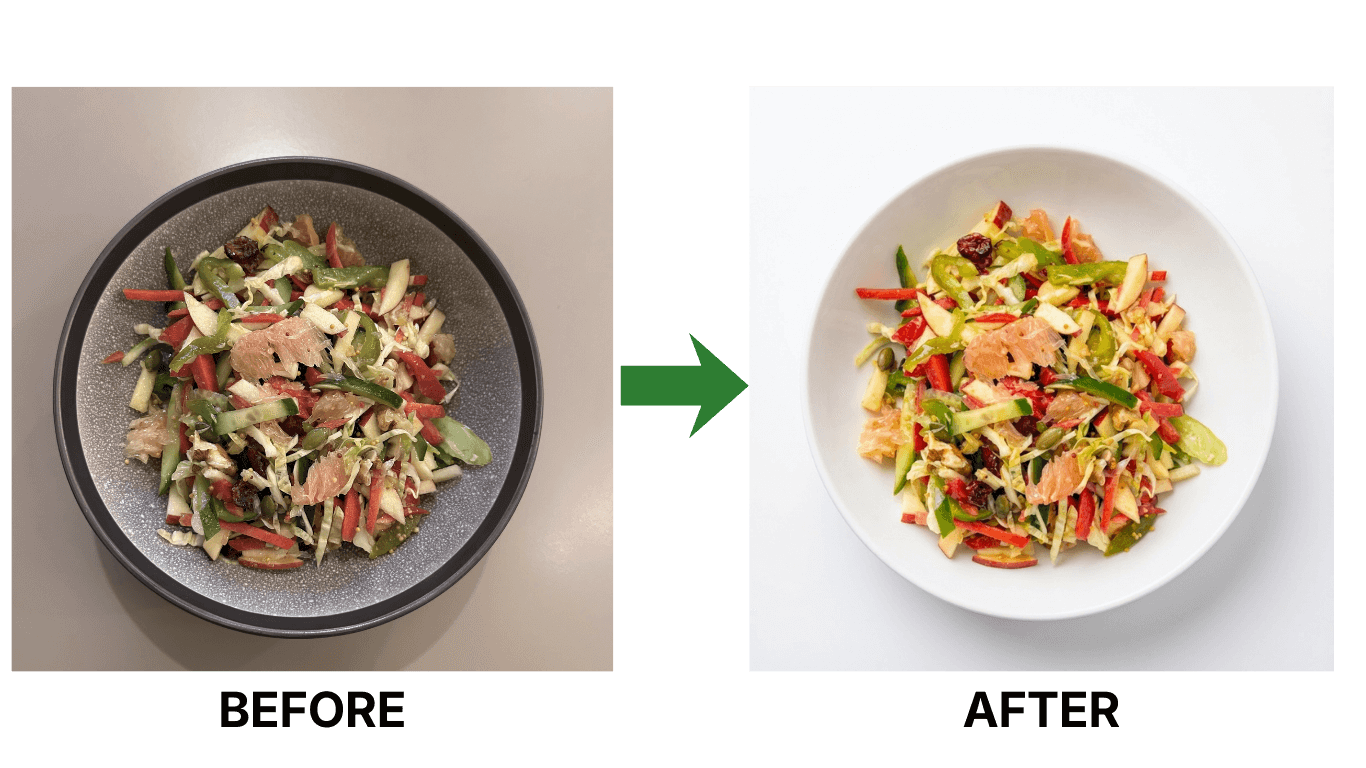
Nothing kills appetite faster than a dark, grainy photo. We've seen countless "succulent steaks" that look like grey mystery meat because they were shot in a dim kitchen corner. Shadows hide texture and make fresh ingredients look old.
The Problem: Relying on warm, dim overhead kitchen lights creates unflattering yellow tints and harsh shadows.
Lighting is the cornerstone of any good photograph, and food photography is no exception. Poor lighting can make even the most delicious dish look unappetizing by casting unflattering shadows, distorting colors, and obscuring the details that make your dish shine. Inconsistent lighting also muddles the mood and ambiance of the shot, sending mixed signals about quality and taste.
Natural light is your best friend. Shoot near a window in the morning or late afternoon when light is soft and diffused to bring out true colors and textures. If natural light isn't an option, use a softbox or lightbox and bounce light back with a reflector so every detail is visible. Try a few angles to see how the light kisses the dish and adjust until the most appetizing aspects pop.
The Fix: Chase the Daylight
Take your dish out of the kitchen. Find the largest window in your restaurant and set up a table right next to it. Turn off the overhead electric lights to avoid mixing color temperatures.
Pro Tip: Shoot on an overcast day or putting a thin white sheet over the window acts as a giant softbox, giving you that professional, soft light that makes food glisten.
Mistake #2: Distracting Backgrounds (Cluttered Chaos)
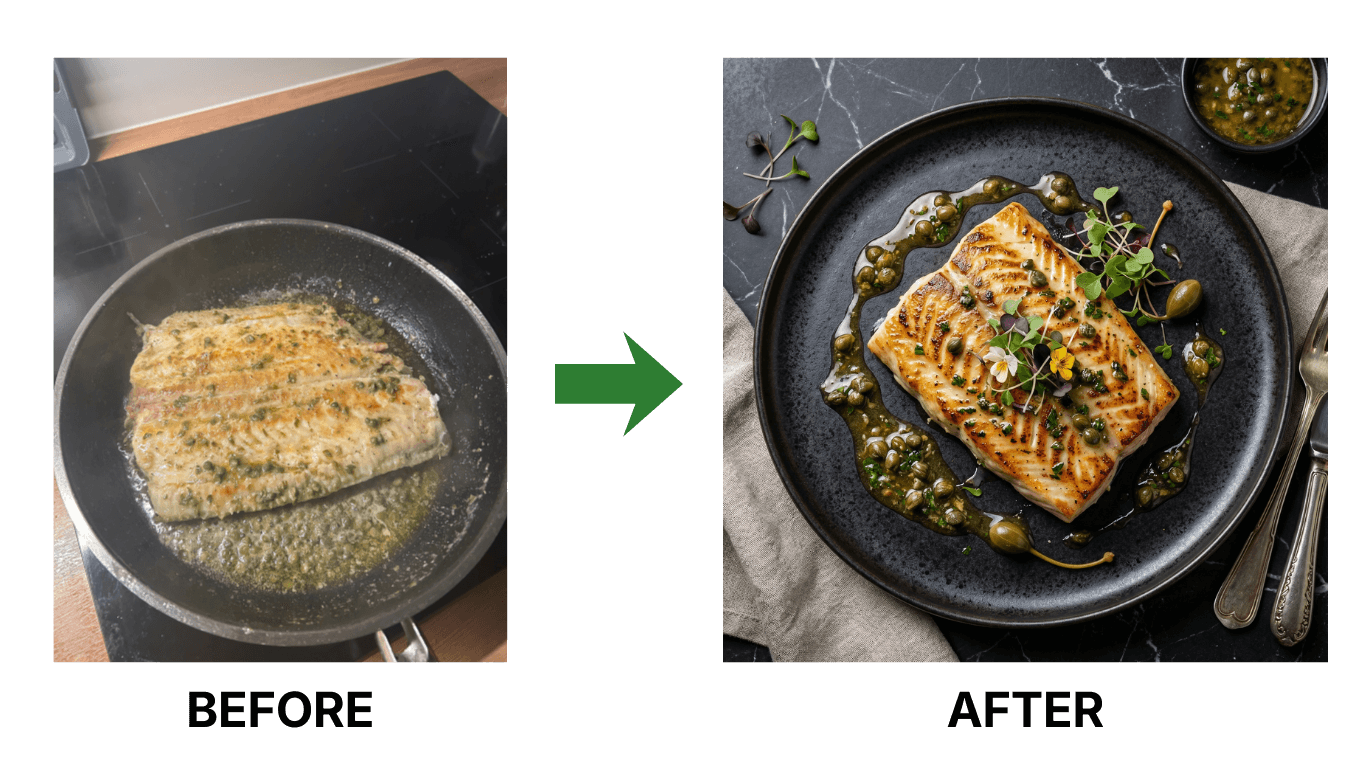
We've all seen it: a beautiful sushi roll photobombed by a dirty rag, a half-empty soda bottle, or a busy prep line. When the background is chaotic, the customer's eye doesn't know where to look.
The Problem: Shooting where you cook. Your kitchen is a workspace, not a studio.
A cluttered background steals attention from the hero of the shot—the food. Busy props, patterned surfaces, or an untidy setting compete with the dish and dilute its impact. That clutter can also break the story you want to tell, leaving viewers confused instead of hungry.
Simplify the scene. Stick to neutral colors and clean surfaces so the dish stays center stage. Use props sparingly—utensils, napkins, or a small vase—only when they support the story of the plate. Minimalism keeps the frame focused and signals professionalism and hygiene.
The Fix: Clean and Simple
You need a "hero" surface. This could be a clean wooden table, a slab of slate, or even a large tile from a hardware store. Keep the frame tight on the food.
Negative space is your friend. A plain background signals professionalism and hygiene—two things every diner subconsciously looks for.
Mistake #3: Bad Composition (Unflattering Angle & Distorted Portions)
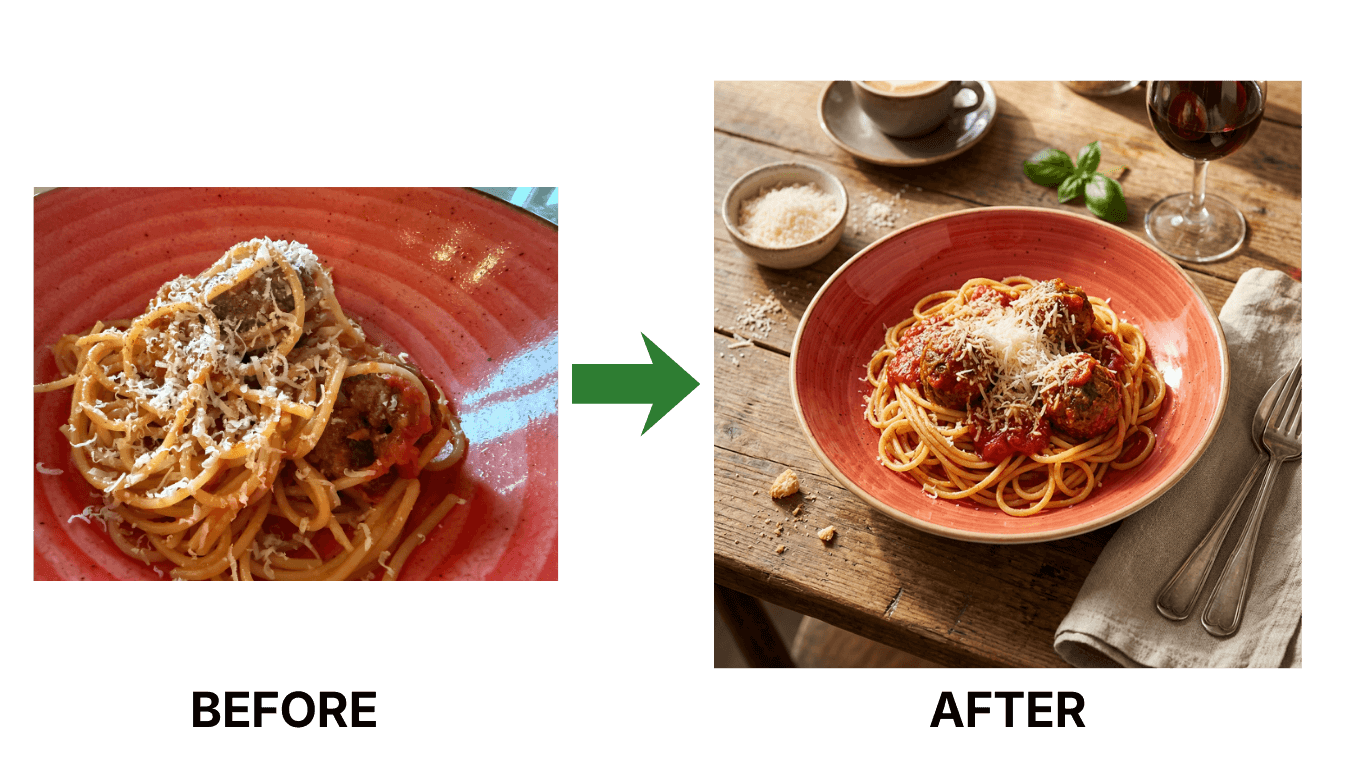
Ever ordered a burger that looked huge online but arrived looking like a slider? Or a pasta dish that looked like a massive bowl but was actually shallow? This is often an issue of perspective.
Composition is how you guide the viewer's eye. Neglect it and you get unbalanced, awkward frames that undersell your dish. Use the rule of thirds to place the hero elements on the grid lines or intersections for a dynamic feel. Leading lines—like utensils or table edges—can direct attention toward the food, while negative space gives the plate breathing room.
Experiment with angles. Top-down shines for pizzas, salads, and bowls with toppings; 45 degrees highlights layers and height for burgers and sandwiches; straight on emphasizes stack and drizzle for desserts. Test a couple of perspectives to find which angle flatters the dish's unique shape and texture.
The Fix: Match the Angle to the Dish
- The 45-Degree Angle: The "Diner's Eye View." Best for burgers, sandwiches, and drinks. It shows height and layers.
- Top-Down (Flat Lay): Best for pizzas, salads, and bowls where all the ingredients are on top. Avoid this for burgers as you'll only see the bun.
- Straight On: Great for towering desserts or stacked pancakes.
Mistake #4: Over-Editing (Highly Saturated Filters)
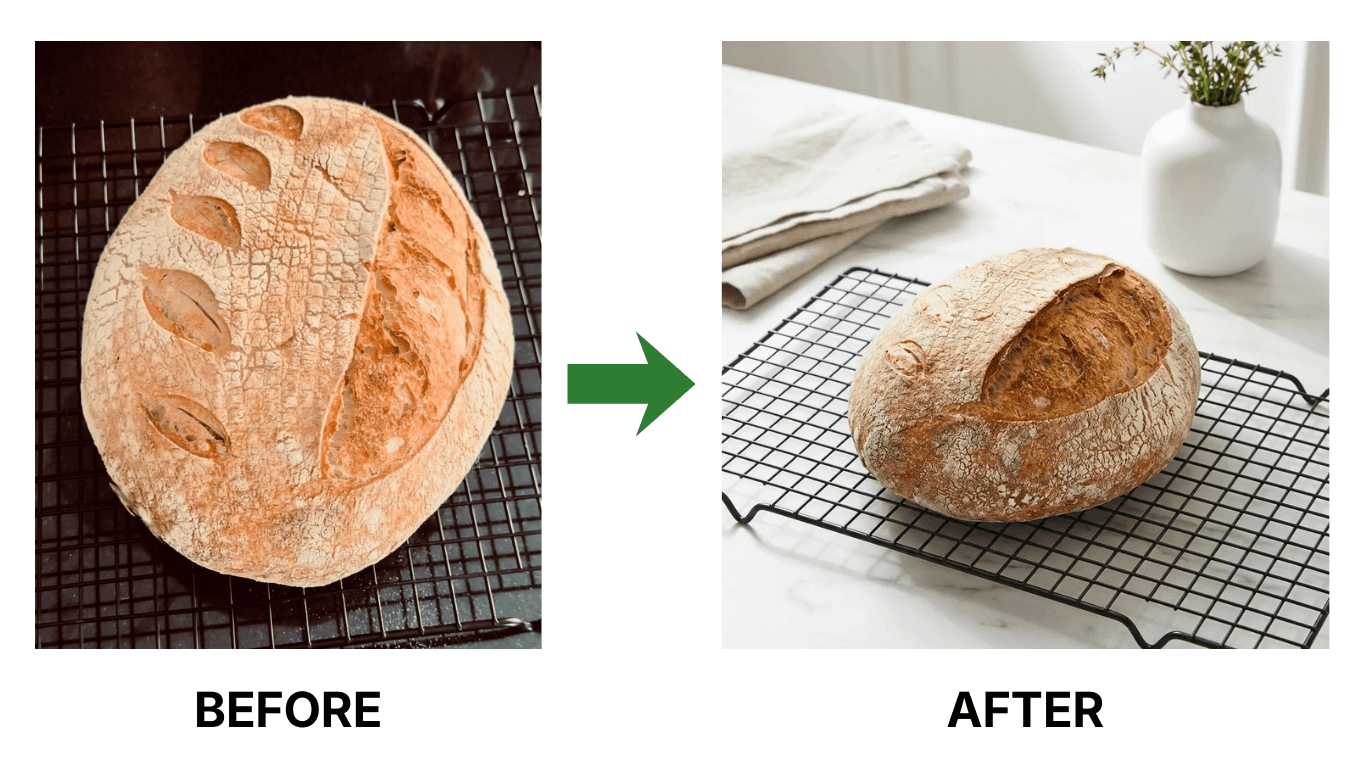
In an attempt to make food look "pop," many owners crank up the saturation until the salmon looks neon pink and the lettuce looks radioactive green. This screams "fake" to customers and breeds distrust.
Editing is powerful, but overdoing it can make dishes look artificial and unappetizing. Oversaturation, extreme contrast, or heavy sharpening turns real food into a cartoon—and sets false expectations for diners. Authenticity wins; the best edits make viewers feel they could reach out and taste the dish.
Aim for subtle corrections. Gently adjust brightness, contrast, and saturation to highlight natural colors and textures. Keep skin tones, herbs, and proteins looking true to life so the final photo matches what arrives at the table.
The Fix: Enhancing vs. Altering
Edit for trueness, not intensity. Adjust the Exposure to brighten the image and White Balance to remove yellow/blue casts. Add a touch of Contrast to make it sharp.
If the food in the photo doesn't look like the food on the plate, you've gone too far. Authenticity sells.
Mistake #5: Inconsist Photos (The Identity Crisis)
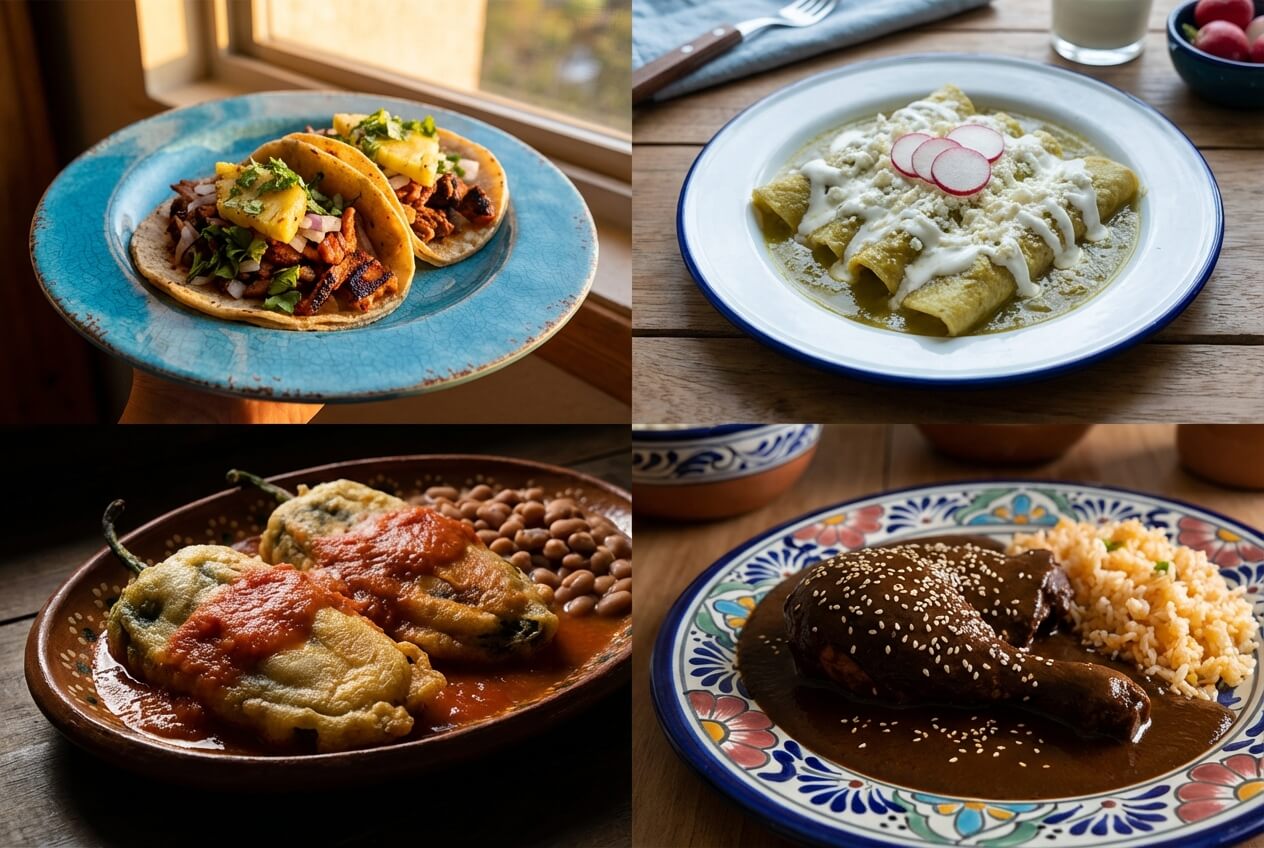
Your delivery menu shouldn't look like a ransom note made of mismatched photos. One photo on wood, one on marble, one dark, one bright... it looks unprofessional and sloppy.
The Problem: Taking photos sporadically over years with different phones and lighting.
The Fix: Build a Style Guide
Decide on one background, one lighting setup, and one consistent angle for similar items. Batch shoot your menu items in one afternoon to ensure they all look like they belong to the same brand.
Don't Overlook the Details
Small details make a big difference. Smudges on plates, messy garnishes, or stray crumbs can undermine an otherwise strong photo. Spending a minute to wipe the rim, straighten a garnish, or clean the surface keeps the frame polished and appetizing.
Look for the unique elements that define the dish—fresh herbs, a drizzle of sauce, or a sprinkle of spice—and place them with intention. Thoughtful finishing touches add depth and help the viewer imagine the flavor and texture before they ever order.
The Fastest Way to Professional Results
Correcting these mistakes manually takes time, practice, and a critical eye. But for busy restaurateurs, time is the scarcest resource.
This is where AI is revolutionizing the industry. Tools like PlatePhoto can take a mediocre, poorly lit smartphone photo and transform it into a professional-grade asset in seconds. It can fix lighting, replace messy backgrounds with on-brand surfaces, and color-correct automatically.
Bonus Tips to Elevate Your Shots
- Gear that helps: A reliable smartphone or entry-level camera with a good lens plus a tripod keeps shots sharp, especially in low light.
- Use color with intent: Complementary or contrasting colors make dishes pop, while harmonious palettes create a cohesive, calming feel.
- Tell the dish's story: Choose props and settings that match the recipe's origin or vibe so the photo communicates more than just ingredients.
Conclusion
Your online menu is your 24/7 salesperson. Don't send it out to work in wrinkled clothes. By fixing these 5 common mistakes, you signal to customers that you care about quality—both in your kitchen and in your presentation.
Upgrade your photos, and watch your conversion rates follow suit.
Ready to fix your food photos instantly?
Join hundreds of restaurants using PlatePhoto to transform their menu photos in seconds with AI.
Read Next
Continue exploring our latest guides and tips
Food Photography Lighting: A Practical Setup Guide
Learn simple food photography lighting setups for restaurants, from soft window light to a repeatable one-light setup for menus and delivery apps.
Read articleFood Photography Angles for Restaurant Menus
Discover the best food photography angles for restaurant menus. Learn exactly when to shoot overhead, 45-degree, or straight-on to show off your dishes.
Read articleFood Photography Backgrounds: 12 Practical Backdrop Ideas
Choose food photography backgrounds that make dishes stand out. Compare affordable backdrop materials, colors, textures, and restaurant-ready setups.
Read article