
AI Food Photography for New York Businesses
Professional Food Photos for New York Restaurants and Food Brands
Turn the food photos you already have into polished menu and marketing images with PlatePhoto. New York restaurants, cafes, food brands, pizzerias, delis, bakeries, food carts, and restaurant groups can upload a dish or product photo, select a visual look, generate a new image, review the result, and use approved images across menus, ordering pages, delivery listings, websites, and campaigns.
3 Free Image Credits. No Card Required. Commercial Use Requires a Paid Plan.
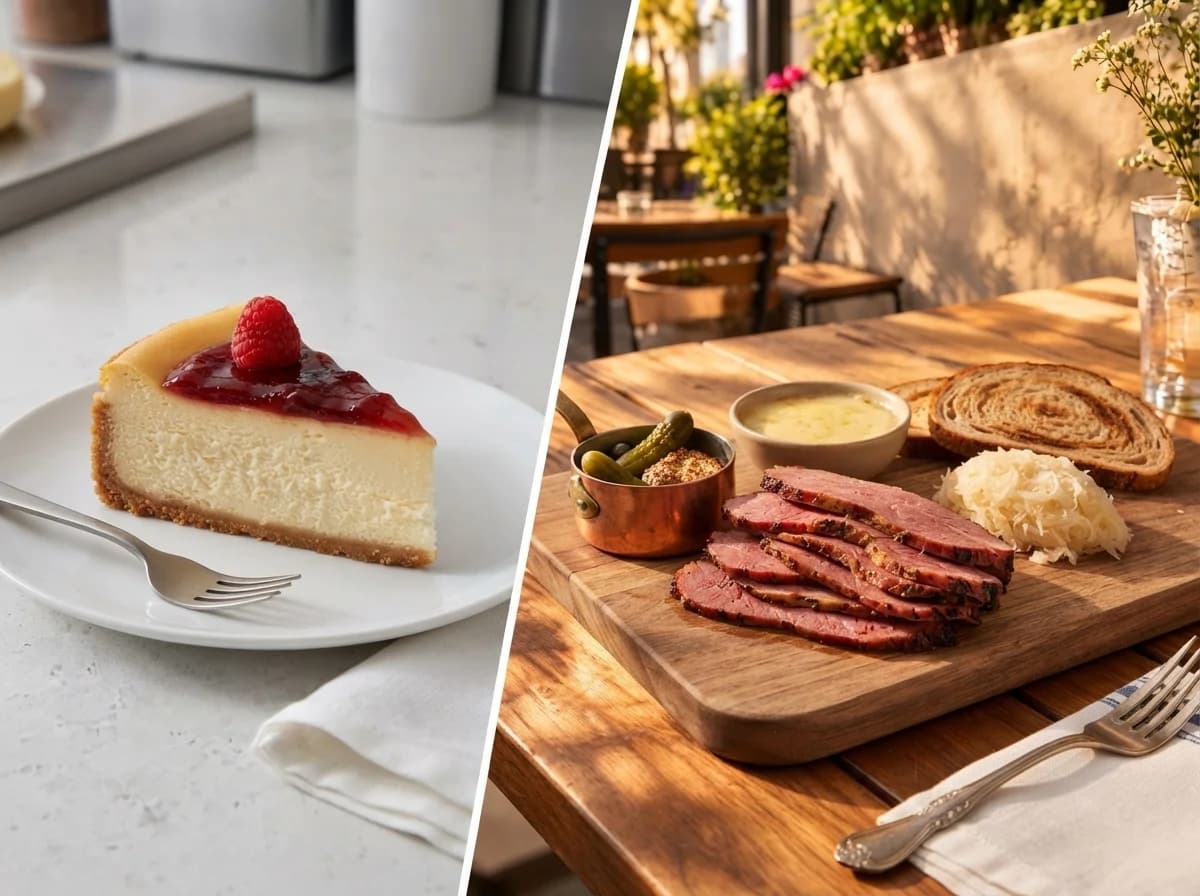
Your Photo / AI Generated With PlatePhoto
New York Restaurant Image — Built for the way New York food businesses promote and update their menus.
Food Photography for New York Restaurants and Food Businesses
New York food businesses need new images whenever menus, specials, delivery listings, products, and promotions change. Restaurants, pizzerias, delis, cafes, bakeries, takeout businesses, food carts, restaurant groups, and food brands often need updated food photography without arranging a new physical shoot for every menu item.
PlatePhoto turns an existing photo of the real dish, drink, or packaged product into polished food imagery for recurring menu and marketing needs. The business keeps its actual food or product as the reference while selecting a new background, lighting treatment, composition, or camera angle.
Food Photography Results Created With PlatePhoto
PlatePhoto starts with an ordinary dish or product photo and creates a cleaner presentation while keeping the real food or package recognizable.
Restaurant Dish: Seared Salmon and Vegetables
Use the same salmon portion, vegetables, garnish, and sides from the source image. PlatePhoto can adjust lighting, background, framing, and presentation so the dish reads clearly on a New York restaurant menu without changing what the customer receives.
Cafe Menu Item: Pancakes
Keep the pancakes, toppings, portion, sauce, fruit, and garnish faithful to the original plate. Change the visual setting or treatment to create a menu image suited to a cafe, brunch menu, ordering page, or seasonal promotion.
Packaged Product: Bottled Drink
Preserve the bottle shape, label, logo, cap, colors, and package details. Place the real product into a cleaner product-led composition for a New York food or beverage brand, ecommerce page, catalog, or launch campaign.
Food Photography Services for New York Businesses
PlatePhoto works from the business's own dish or product image across common New York food-business categories. Each image starts with the actual food, drink, or packaged product that the business wants customers to recognize.
Restaurant Menu Photography
- Appetizers and Starters
- Main Courses and Entrees
- Signature Dishes
- Seasonal and Prix-Fixe Specials
Cafe, Bagel and Beverage Photography
- Coffee and Tea
- Bagels and Breakfast Sandwiches
- Brunch Plates
- Specialty Drinks
Bakery and Dessert Photography
- Pastries
- Cookies
- Cakes
- Cheesecake and Desserts
- Ice Cream
Pizzeria, Deli and Takeout Photography
- Pizza Slices and Whole Pies
- Deli and Specialty Sandwiches
- Takeout Bowls and Platters
- Combo Meals and Sides
Packaged Food and Product Photography
- Bottles
- Jars
- Boxes
- Pouches
- Cans
Food Photography for New York Dining Areas
New York neighborhoods differ in cuisine, menu structure, service style, portions, and presentation. PlatePhoto starts with the business's real food reference so each result stays connected to the actual dish or product being sold.
Koreatown and Midtown Manhattan
Korean BBQ, banchan, fried chicken, noodles, shared plates, lunch specials, fine-dining dishes, and late-night food can use food-led imagery with a restrained Midtown or Koreatown setting that keeps the dish as the central subject.
Chinatown and the Lower East Side
Dim sum, dumplings, noodles, roast meats, bakery items, bagels, smoked fish, deli sandwiches, and takeout dishes can use presentation that reflects the food category while keeping the actual portion and ingredients visible.
Williamsburg and Greenpoint
Pizza, brunch plates, cafe food, pastries, sandwiches, seasonal dishes, and chef-led neighborhood restaurant menus can use different visual treatments based on the food and intended placement.
Jackson Heights and Flushing
Dumplings, noodles, curries, momos, rice dishes, street food, bakery items, tea, food-hall dishes, and takeout meals can use visual treatments built around the real serving, toppings, ingredients, and portion.
Arthur Avenue and Belmont
Pizza, pasta, Italian sandwiches, ravioli, deli items, pastries, baked goods, and family-style restaurant dishes can use food-focused compositions that keep the meal recognizable while changing its visual presentation.
Tompkinsville and Stapleton
Sri Lankan curries, rice dishes, hoppers, short eats, takeout plates, and neighborhood restaurant food can use the real dish as the visual reference while PlatePhoto changes background, lighting, composition, or angle.
Food Image Types You Can Create
PlatePhoto can use the same real food reference to create different compositions for menu, ordering, product, and promotional needs across New York food businesses.
Single-Item Menu Images
A clear single-item image helps customers identify the dish quickly on QR menus, ordering pages, counter menus, and delivery listings. Keep the full serving visible so the portion, sides, garnish, toppings, and presentation match the item being sold.
Hero Food and Product Images
A stronger focal composition can present a featured dish or packaged product on a restaurant homepage, product launch, restaurant opening page, seasonal campaign, or promotional graphic.
Lifestyle and Serving-Scene Images
Serving scenes can place a dish, drink, or product into a restaurant, cafe, kitchen, table, or campaign context while keeping the food as the central subject. A generated dining space should not be represented as the business's real restaurant interior unless it accurately matches the location.
Ingredient and Detail Images
Close framing can show crust, fillings, garnish, sauce, texture, toppings, ingredients, layers, or package details that help customers understand the actual item.
Product Collections and Catalog Images
Food and beverage brands can present grouped products, flavor variants, package sizes, or beverage ranges in a consistent composition for catalogs, wholesale materials, ecommerce pages, and launch campaigns.
Choose Your Food Photography Style and Camera Angle
New York food businesses may need different lighting, backgrounds, compositions, and viewpoints depending on the item. A fine-dining entree, pizza, bagel sandwich, dessert, and packaged drink should use a visual treatment that fits the food, business, and placement rather than one identical setup.
Choose a visual direction that fits your brand and intended use while keeping the real portion, toppings, fillings, sides, ingredients, label, and packaging faithful to the source item.
Food Photography Styles for Your Brand
White
Place one plated dish against a clean white background with a soft shadow. A simple background keeps an ordering-menu item clear and easy to identify.
Minimal Wood
Place the same dish on a visible wooden surface with restrained props. Warm wood can suit cafes, bakeries, casual dining businesses, and brunch imagery where the food remains the main subject.
Colorful
Place the same dish against one controlled color background. A stronger color treatment can give a special, launch, seasonal item, or campaign image a more distinctive presentation.
Packaging Hero
Make the actual packaged product the central subject with the full package and label visible. A product-led composition gives New York food and beverage brands a clear visual for ecommerce pages, product launches, catalogs, and campaigns.
Ingredient Frame
Position the dish centrally and use ingredients that belong to the actual item. Ingredient framing reinforces what the customer receives while keeping the dish dominant.
Natural Airy
Use soft daylight-style lighting, open space, and gentle shadows. This treatment can suit pastries, coffee, brunch plates, drinks, desserts, and lighter cafe menus.
Show Your Food From Different Angles
The food should determine the viewpoint. Overhead views can suit pizza, platters, bowls, and spreads, angled views can add depth to plated dishes, and side views can show the fillings and layers in sandwiches, bagels, burgers, cakes, and desserts.
Angle
Use a viewpoint where the top and side remain visible. An angled view adds depth while keeping the complete dish easy to recognize.
Overhead
Use a direct top-down view with the full serving visible. Overhead framing works well for pizzas, bowls, full plates, shared dishes, platters, and spreads.
Side
Use food with meaningful height or visible layers. A side view shows fillings, layers, height, and portion structure in sandwiches, bagels, burgers, cakes, and layered desserts.
How to Create Food Photography With PlatePhoto in New York
A Manhattan restaurant may need a new image for a prix-fixe course, a Brooklyn cafe may launch a brunch special, or a Queens takeout business may add a new menu item. Each team can start with the current food photo, choose the intended presentation, generate the image, review it against the actual item, and download approved results online.
Upload or Import Your Food Photo
Upload an existing photo of the real dish, drink, or packaged product directly to PlatePhoto. You can also use available website or Google Maps import options when the current business photo provides a suitable reference. Use a source image that clearly shows the food or product you want the generated result to preserve.
Choose a Style, Camera Angle and Prompt
Select the visual treatment and viewpoint that fit the food and intended placement. Add an optional instruction for the background, surface, setting, lighting, composition, or other presentation detail while keeping the actual food or package as the reference.
Generate, Review and Refine
Generate the image and compare the result with the real item. Check the portion, toppings, ingredients, fillings, sides, garnish, package shape, label, and other defining details before approving the result. Create another variation when the item needs a different background, camera angle, lighting treatment, or composition.
Download Your Selected Images
Select approved images from your PlatePhoto account library and download them for the menu, website, ordering page, delivery listing, social content, product page, or campaign where they will be used.
Food Photography Deliverables for New York Restaurants and Food Brands
New York restaurants and food brands may need different image formats for menus, ordering pages, websites, delivery listings, social content, campaigns, and product pages. PlatePhoto lets teams create multiple presentation formats from the food or product references they already have.
High-Resolution Food Images
Download high-resolution food images for restaurant websites, menus, ordering pages, promotional materials, and selected print placements where image detail matters.
4K Generation Option
Use the 4K generation option for larger menu displays, campaign graphics, product visuals, and other placements that require greater image detail.
Square and Landscape Compositions
Create square and landscape compositions for social posts, restaurant websites, delivery layouts, menu features, product pages, and campaign graphics.
Watermark-Free Downloads on Paid Plans
Paid plans provide watermark-free image downloads for commercial restaurant and food-brand use under PlatePhoto's applicable plan terms.
Where New York Food Businesses Can Use PlatePhoto Images
A single food item may appear across several customer touchpoints. The same approved dish can support a QR menu, online ordering page, delivery listing, restaurant website, social post, or promotional campaign when each image accurately represents the item being sold.
Printed, QR and Digital Menus
Use approved food images across dine-in menus, counter menus, prix-fixe menus, QR menus, takeout menus, and temporary specials.
Restaurant Websites and Online Ordering
Present dishes across restaurant homepages, featured-item sections, individual location pages, direct-ordering pages, and restaurant-group menus.
DoorDash, Uber Eats and Grubhub Listings
Use approved dish images on delivery listings when the image accurately reflects the delivered item and meets the platform's current requirements for dimensions, aspect ratio, format, file size, and food representation.
Instagram, Facebook, TikTok & Pinterest Content
Create imagery for new menu items, chef specials, neighborhood promotions, seasonal dishes, restaurant openings, food-cart schedules, and limited-time offers across social channels.
Prix-Fixe and NYC Restaurant Week Promotions
Create food images for temporary prix-fixe menus, featured courses, promotional landing pages, social graphics, and NYC Restaurant Week campaigns. Keep ingredients, portions, sides, and plating aligned with the item customers will receive.
Product Pages, Catalogs and Advertising
New York food and beverage brands can use approved product images for ecommerce pages, wholesale catalogs, retailer materials, product launches, and advertising placements.
Why Use PlatePhoto for Food Photography in New York?
Changing specials, prix-fixe menus, delivery listings, seasonal campaigns, multi-location menus, and product launches can create recurring image needs. PlatePhoto gives restaurants and food brands a repeatable way to create new visual treatments from existing food references online.
Physical photography still serves projects that need real interiors, chefs, staff, events, storefronts, rooftops, kitchens, venues, or styled scenes captured on location. PlatePhoto focuses on food and product imagery created from the business's existing references.
Create polished food images from photos you already have, with flexible styles, consistent presentation and pricing built for recurring restaurant image needs.
PlatePhoto supports New York restaurants, cafes, pizzerias, delis, food carts, restaurant groups, and food brands that need recurring menu and marketing imagery without arranging a new physical food shoot for each update.
Rated 4.9 by Users
PlatePhoto users rate the platform 4.9, providing a platform-wide trust signal for businesses considering its food-image workflow.
100% Money-Back Guarantee
PlatePhoto includes a 100% money-back guarantee subject to the refund terms that apply to the purchase.
12,000+ Photos Generated
More than 12,000 photos have been generated with PlatePhoto, reflecting the platform's food-image production volume across its users.
Photos in 30 to 60s
Generate a new food-image treatment in 30 to 60 seconds for menu changes, specials, delivery listings, seasonal items, and promotional needs.
From $0.33 per Image
Higher-volume PlatePhoto plans can bring image pricing as low as $0.33 per image, which can support businesses with recurring menu or location requirements.
40+ Photography Looks
Choose from more than 40 food photography looks suited to pizza, cafe food, plated restaurant dishes, baked goods, deli items, and packaged products.
Consistent Styling Across Every Menu Image
Reuse lighting, camera angle, framing, background direction, and composition across an image set to create a more unified menu or multi-location presentation.
PlatePhoto vs Hiring a New York Food Photographer
A physical food photography shoot and PlatePhoto serve different production needs. PlatePhoto creates food and product imagery from existing reference photos online, while a food photographer can capture prepared dishes, real locations, chefs, staff, events, and styled scenes directly. The comparison below focuses on recurring New York menu and food-image production.
| Production Area | New York Food Photographer | PlatePhoto |
|---|---|---|
| Production | Photographs prepared food during a physical shoot. | Creates a new food image from an existing reference photo. |
| Setup | Uses physical lighting, styling, props, equipment, surfaces, and set preparation. | Uses a selected background, lighting treatment, camera angle, visual style, and optional prompt online. |
| Scheduling | Requires shoot coordination and prepared food at the planned location and time. | Starts from an available current food or product image online. |
| Real Restaurant Environment | Can photograph dining rooms, kitchens, chefs, staff, storefronts, rooftops, events, and other real spaces. | Focuses on food and product imagery created from references. |
| Revisions | Changes may involve editing, restyling the food, adjusting the set, or arranging another shoot. | A new variation can use the same food reference with a different background, treatment, angle, or prompt. |
| Pricing | Project pricing depends on shoot scope, production requirements, time, and deliverables. | Uses credit-based monthly plans starting with the Starter tier. |
Different Workflows for Different Food Photography Needs
Physical photography records the real prepared food, people, or location at the time of a shoot. PlatePhoto provides a repeatable online workflow for recurring food and product images created from current references.
Food Photography Pricing for New York Businesses
PlatePhoto uses credit-based pricing for restaurants, cafes, restaurant groups, and food brands with different monthly image requirements. Plans start at $19 per month, while higher-volume plans can reduce image pricing to as low as $0.33 per image.
Businesses can select a plan based on their expected image volume rather than arranging separate production for each individual menu update or product variation.
Frequently Asked Questions About Food Photography in New York
These questions address common food-image needs for New York restaurants, cafes, pizzerias, delis, food carts, restaurant groups, and food brands that use PlatePhoto for recurring menu and product imagery.
Start Creating Food Photography for Your New York Business
Turn the food and product photos you already have into polished images for menus, ordering pages, restaurant websites, delivery listings, campaigns, product pages, catalogs, and social content. Upload your real dish or product photo, select the presentation, generate the image, review it against the actual item, and download approved results for your business.